Dynamic Repeater
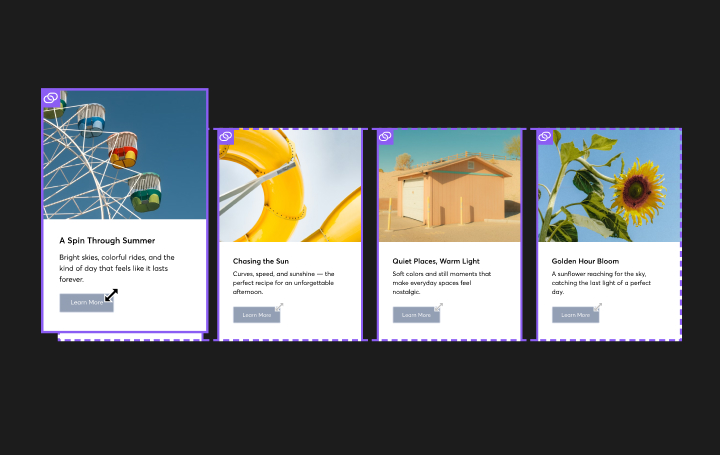
The Dynamic Repeater widget makes it easy to display repeating content from a connected collection, giving you a flexible way to build beautiful, scalable layouts for directories, team pages, service lists, resource libraries, galleries, portfolios and more. Instead of manually building each content block one by one, you can design the layout once and let your collection power the content automatically.
Note: this widget is available in Editor 2.0 only.
Preview: https://demo.wocode.com/dynamic-repeater
Tutorial Video
SETUP
WIDGET PLACEMENT
- Drop the widget onto your site and place it in a row where you would like the Dynamic Repeater to be seen. The widget can be used on any page, and it does not need to be placed on a dynamic page.
-
Once the widget is added:
• An Internal Collection is automatically created
• The repeater will immediately populate with sample content from that collection
ADDING CONTENT
The widget comes preloaded with:
- An image
- Text
- A button
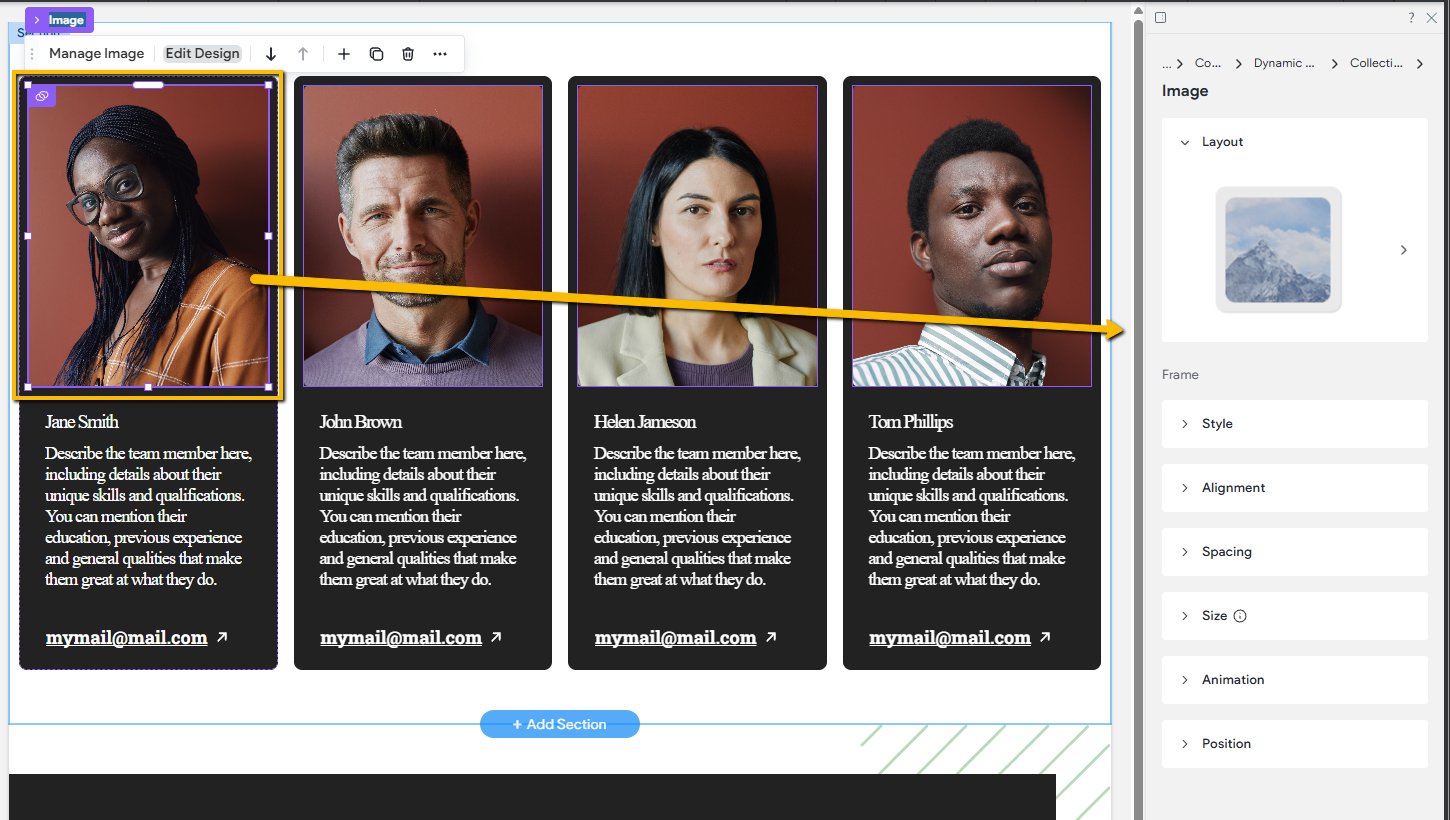
You can add additional widgets inside the repeater as needed. Any widget that supports connected data can be used.
Keep in mind:
- When you add a widget to one item in the repeater, it will automatically appear in all repeater items as well.
COLLECTIONS
The Dynamic Repeater works only with:
- Internal Collections
- Image Collections
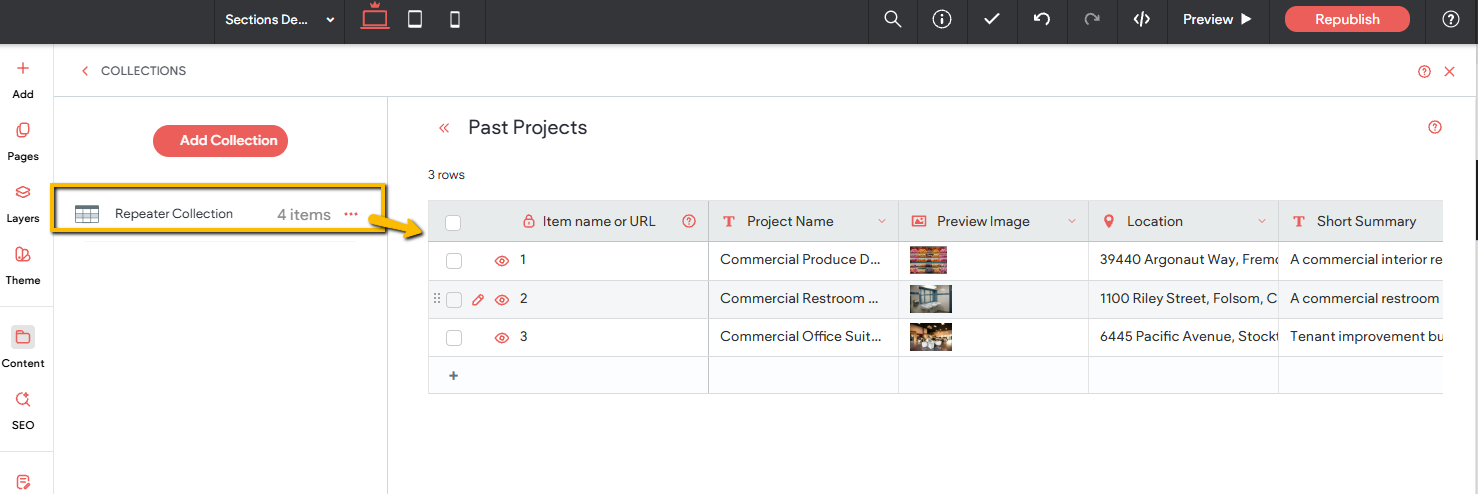
When you add the widget to a page, an internal collection named Repeater Collection is automatically created and connected.
You have three ways to manage collections:
- Edit the default Repeater Collection
- Duplicate the existing collection
- Create a brand-new internal collection from scratch
If you duplicate a collection or create a new one, you’ll need to update the Dynamic Repeater widget to connect to the new collection.
CHANGING THE CONNECTED COLLECTION
If you want the repeater to pull content from a different collection:
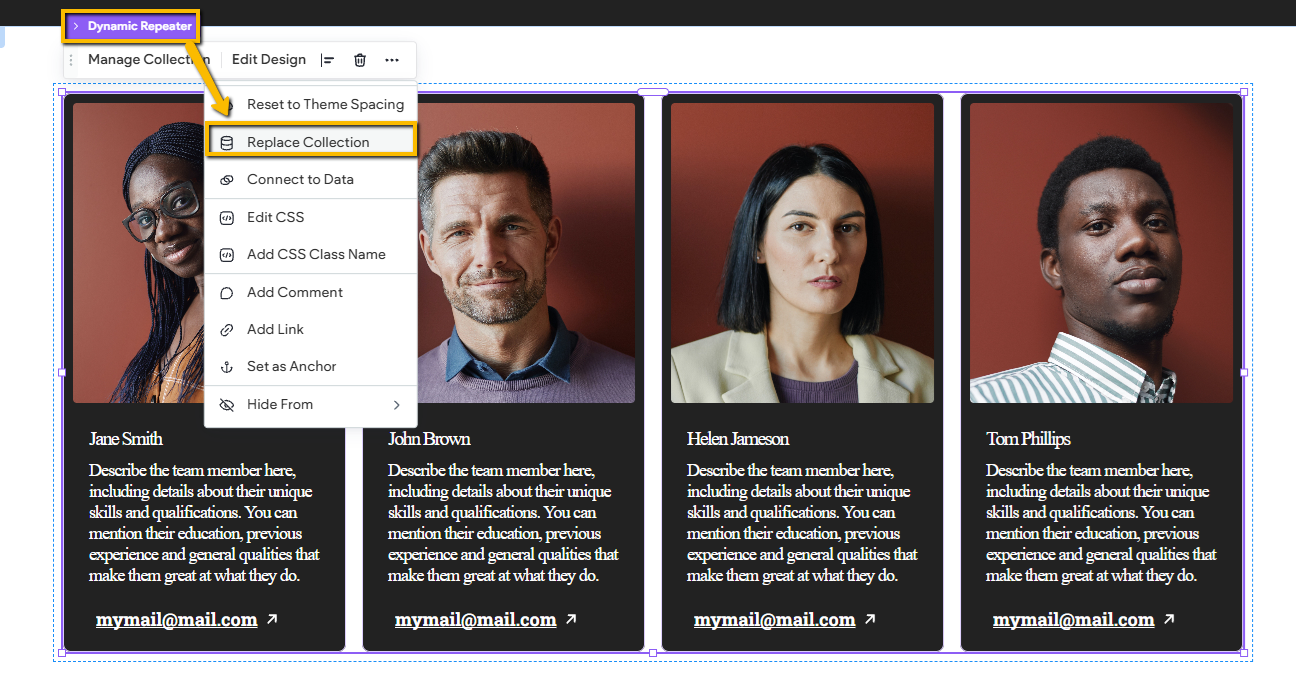
- Select the Dynamic Repeater widget on the page
- Click the three-dot menu
- Choose Replace Collection
- Select the new collection you want to connect
WIDGET OPTIONS
The Dynamic Repeater widget does not have a traditional options panel.
Instead:
- Content is managed directly through the connected Internal Collection
- Widgets inside the repeater also rely on the collection for their settings and data
WIDGET DESIGN SETTINGS
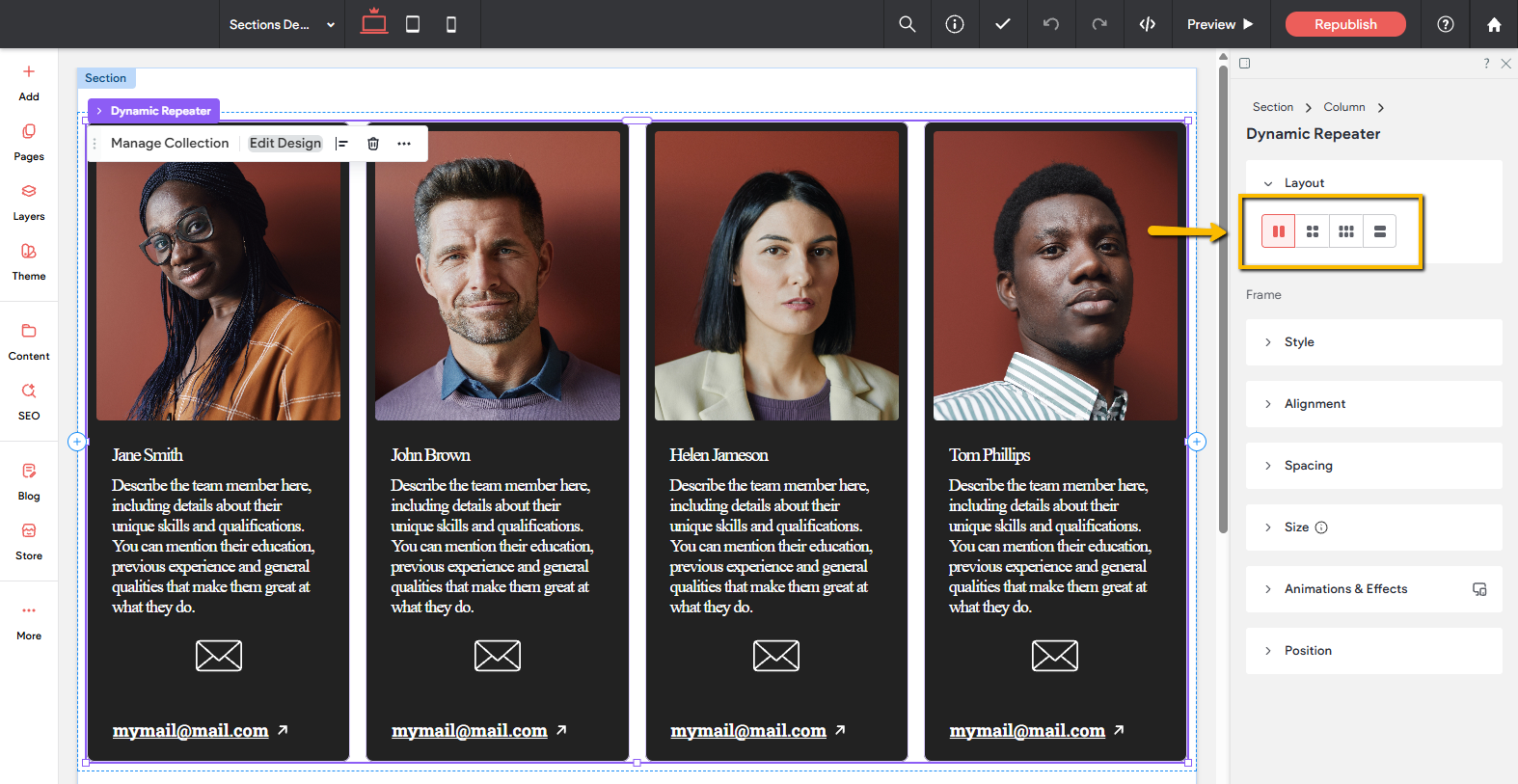
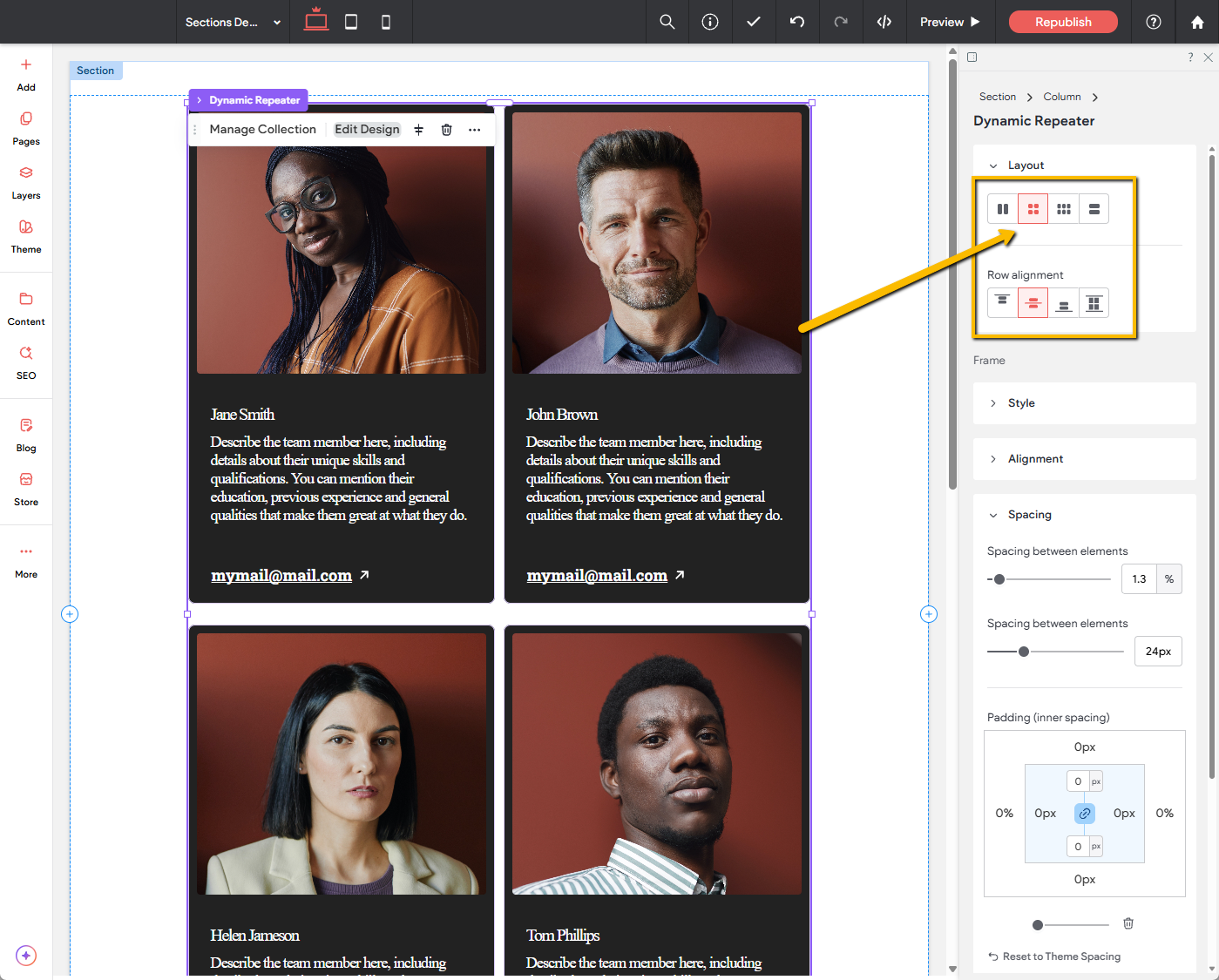
The Dynamic Repeater itself includes only basic design controls, such as:
- Layout styles
- Alignment
- Spacing
- Frame styling
- Etc.
WIDGET DESIGN SETTINGS
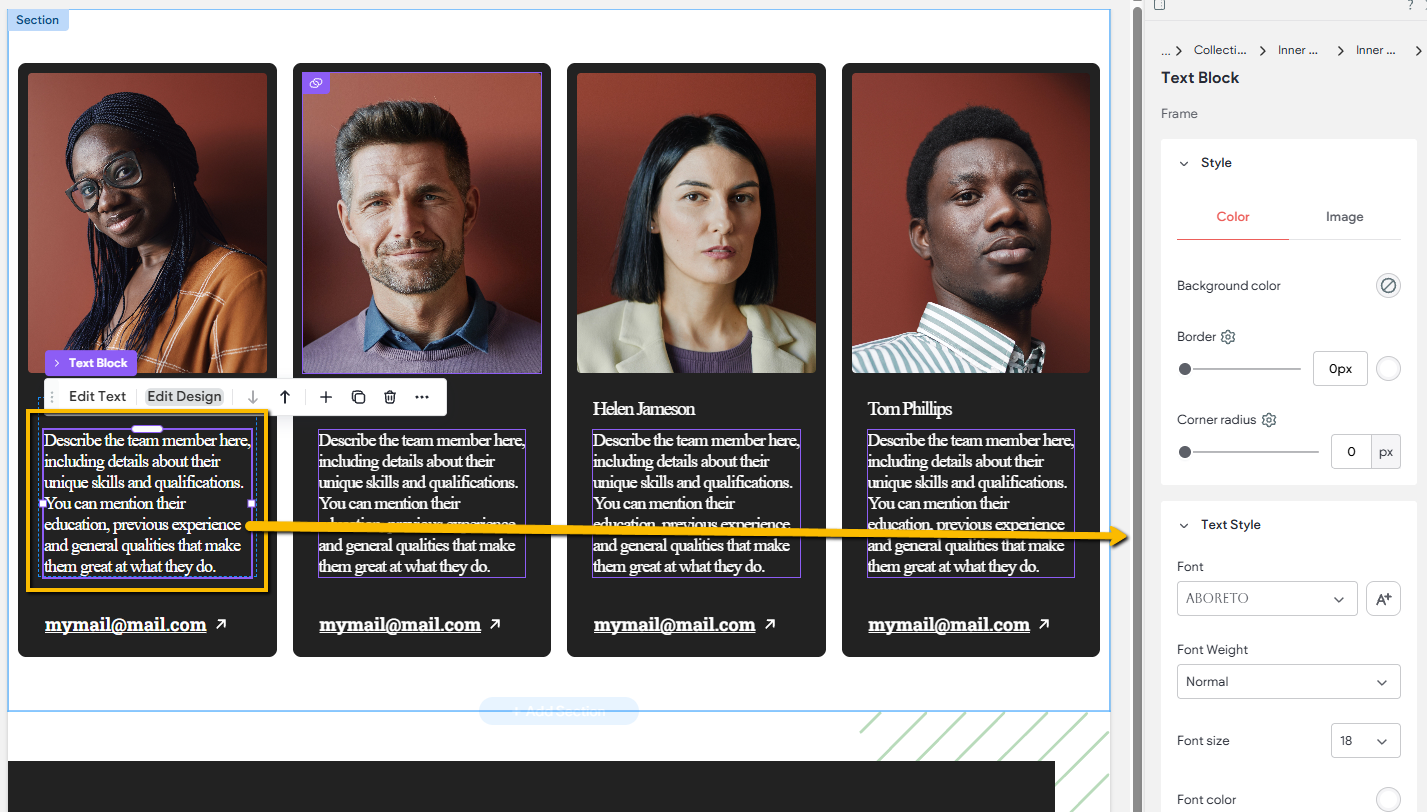
Most styling adjustments are made within the design panels of the individual widgets inside each repeater item. Each widget has its own unique design options, so the available settings will vary depending on the widget type.
Any styling changes applied to a widget in one column will automatically apply to the same widget across all other columns.
For example, if you change the color of a button in one column, that button will update in every column to match the new design.
The same applies to layout and positioning. If you rearrange a widget in one column, the same widget in the other columns will automatically move to match. For instance, moving a button to the top of one column will also move that button to the top in all other columns.